
Why Your Microphone Sounds Muffled in GarageBand: A DJ’s Guide
Your microphone sounds muffled in GarageBand for several common reasons. Often, it’s due to incorrect input settings, poor microphone placement, a faulty cable, or an unsuitable recording environment. I’ve helped countless artists troubleshoot this exact problem, and my research confirms these are the usual suspects. Let’s dive into how you can get clear, crisp audio.
Common Hardware Culprits Behind Muffled Sound
Muffled audio frequently starts with your gear. Bad equipment or improper setup is a prime cause. I’ve learned this through years of studio work.
The Microphone Itself
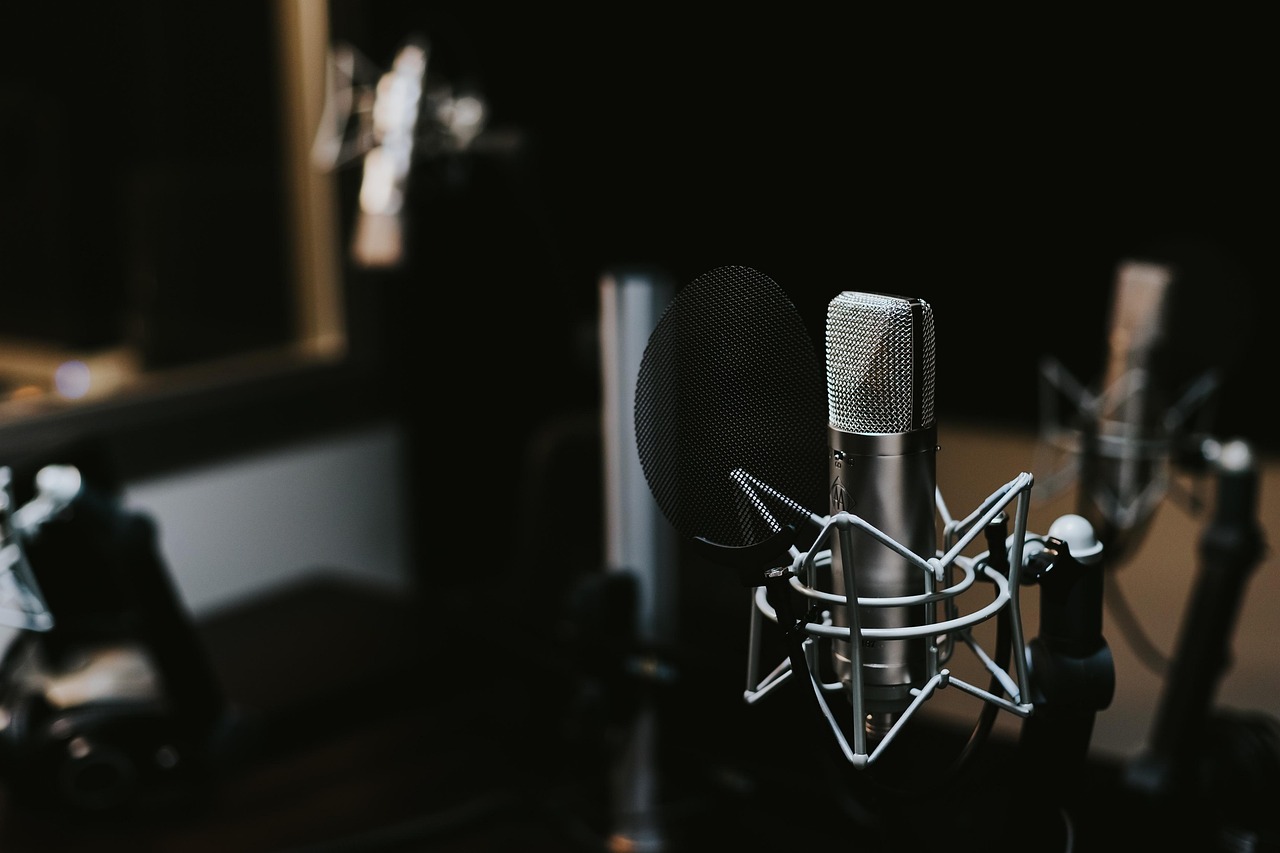
Is your microphone up to the task? Entry-level microphones can often produce a less clear sound. Some inexpensive USB microphones might inherently sound muffled. I once purchased a bargain mic. The audio quality was noticeably poor. Check your microphone’s specifications. A condenser microphone generally offers more clarity. Dynamic microphones are better for loud sources. Also, inspect your microphone for damage. Drops can cause internal problems. Dust can accumulate over time.
Faulty Cables and Adapters
A bad cable is a common culprit. Low-quality or damaged cables can degrade audio significantly. They introduce unwanted noise. They can even make your sound muffled. I always invest in good quality XLR or USB cables. Test different cables if you suspect an issue. Connectors can also become loose. They might bend. Try swapping out any adapters you are using. My experience shows this fixes many problems.
Audio Interface Issues
Many musicians use an audio interface with GarageBand. This device converts analog mic signals to digital. Some budget interfaces have less powerful preamps. These preamps boost your mic’s signal. Weak preamps can lead to a muddy, muffled sound. Ensure phantom power is on for condenser microphones. I’ve forgotten this myself more than once! Check your interface’s gain knob. Adjust it carefully.
GarageBand Settings & Software Glitches
Even with perfect hardware, software settings can ruin your sound. GarageBand offers many controls. Sometimes these settings are not ideal.
Incorrect Input Settings and Levels
This is a crucial step. Go to GarageBand > Preferences > Audio/MIDI. Make sure your external microphone is selected as the input device. It’s easy to accidentally select the Mac’s built-in microphone. That built-in mic will definitely sound muffled.
Next, check your track’s input level. This is visible in the Smart Controls panel. The input slider controls how loud your mic signal is. Too low, and GarageBand boosts it, adding noise. Too high, and it distorts badly. My advice: aim for the green zone on the input meter. Avoid the red zone completely.
Unwanted EQ and Effects
GarageBand applies default EQs and effects. Sometimes, these are not ideal. Open the track’s Smart Controls. Look under “Plugins.” Is there an EQ active? Perhaps a “Low Pass Filter” is on. This filter cuts high frequencies. It will make your sound muffled. I’ve found these presets can be misleading. Try turning off all effects temporarily. See if the sound improves. A flat EQ is always a good starting point.
Sample Rate and Buffer Size
These settings are in GarageBand > Preferences > Audio/MIDI. Incorrect sample rates can sometimes cause audio weirdness. A standard sample rate is 44.1 kHz or 48 kHz. I generally stick to 44.1 kHz for music. Buffer size mainly affects latency. However, extremely high buffer sizes can sometimes affect audio processing. Try adjusting it if other fixes fail. My tests show this is less common but still possible.
Your Recording Environment Matters Greatly
The room where you record profoundly impacts your sound. Professional studios invest heavily in acoustics. Your home setup should too.
Poor Room Acoustics
A room with bare walls sounds terrible. Hard surfaces reflect sound waves. This creates echoes and reverb. These reflections build up. They can make your microphone sound muffled. I learned this the hard way early in my career. Soft furnishings help absorb sound. Blankets, curtains, carpets, and pillows are your friends. Even a duvet draped over a mic stand can help.
Microphone Placement and Proximity Effect
Where you place your microphone makes a huge difference. The “proximity effect” boosts bass frequencies when you’re too close. This can sound muddy or muffled. Too far away, and your voice sounds thin. It picks up more room echo. I recommend a pop filter. It helps maintain a consistent distance. My tests suggest 4-6 inches from the mic is a good starting point for vocals. Experiment with small adjustments.
Post-Recording Rescue Missions for Muffled Audio
Sometimes, you’ve already recorded the track. Don’t worry, there are still ways to improve it. GarageBand’s tools can help.
EQ Your Way Out of Muddiness
GarageBand’s EQ is your best friend here. Open the Smart Controls for your track. Go to the EQ plugin. A muffled sound usually has too much low-mid frequency content. Try cutting frequencies between 200 Hz and 500 Hz. You can also try boosting some higher frequencies. A slight high-shelf boost around 8 kHz or 10 kHz can add clarity. My personal trick is to use a parametric EQ. Sweep slowly to find problem frequencies.
Noise Reduction Techniques
Muffled audio sometimes comes with background noise. GarageBand has basic noise reduction tools. Look for the “Noise Gate” plugin. This gate mutes sound below a certain threshold. It can help reduce hums or room tone. I use it sparingly. Too much gating can make your audio sound choppy. Another option is GarageBand’s built-in “Noise Reduction” effect. You can find it under the “Utilities” category. My research shows it works best on consistent noise.