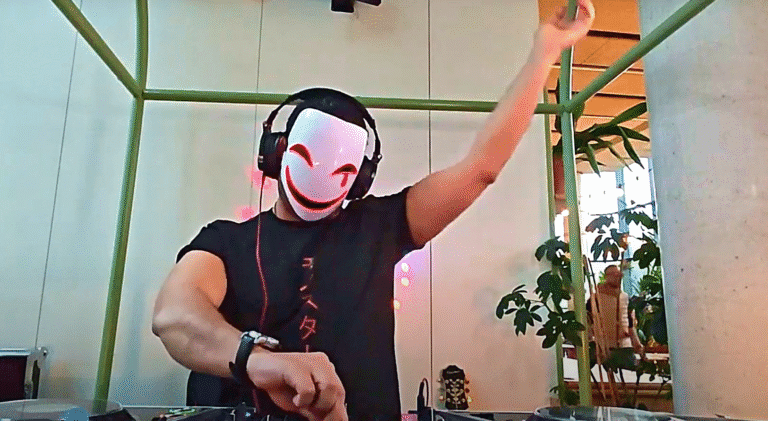
معدات أساسية للجودة العالية DJ تسجيل المجموعة
إعداد واجهة الصوت والخلاط
قم بتوصيل DJ يتم توصيل مخرج الصوت الرئيسي (RCA أو XLR) من جهاز المزج مباشرةً بواجهة صوتية. يتجاوز هذا الإعداد بطاقة الصوت المدمجة في الكمبيوتر، مما يمنع تدهور الإشارة. العديد من الأجهزة الحديثة DJ تتميز أجهزة المزج أيضًا بمنفذ تسجيل مخصص أو واجهة صوتية USB مدمجة لتسهيل عملية التسجيل الرقمي. تأكد من توصيل الكابلات بشكل صحيح لتجنب الطنين أو الضوضاء غير المرغوب فيها.
اختيار محطة العمل الصوتية الرقمية (DAW)
تُعدّ محطة العمل الصوتية الرقمية (DAW) ضرورية للتسجيل. تشمل الخيارات الشائعة Ableton Live وLogic Pro وReaper لما توفره من ميزات شاملة. أما للمبتدئين أو لمن لديهم ميزانية محدودة، فيُقدّم برنامج Audacity إمكانيات تسجيل قوية ومجانية. اضبط إعدادات محطة العمل الصوتية الرقمية (DAW) لكي تتعرف على واجهة الصوت المتصلة كجهاز الإدخال الرئيسي.
تحسين إعدادات وتقنيات التسجيل
مراحل اكتساب التقدم والمستويات
يُعدّ ضبط مستوى الإشارة بشكل صحيح أمرًا بالغ الأهمية للحصول على تسجيل نقي. تأكد من ضبط مستوى إشارة كل قناة على جهاز المزج بشكل صحيح، مع الحرص على عدم تجاوز الحد الأقصى. بالنسبة لمستوى التسجيل في برنامج محطة العمل الصوتية الرقمية (DAW)، استهدف أن تكون ذروة الإشارة بين -6 ديسيبل و-3 ديسيبل. يوفر هذا هامشًا ديناميكيًا ضروريًا، ويمنع حدوث تشويه رقمي لا رجعة فيه.
تنسيقات الملفات ومعدل البت
للحصول على أعلى جودة صوت، سجّل دائمًا بصيغة صوتية غير مضغوطة. تُعدّ صيغتا WAV أو AIFF بعمق 24 بت ومعدل عينة 44.1 كيلوهرتز أو 48 كيلوهرتز من المعايير الصناعية. هذا يضمن التقاط النطاق الديناميكي الكامل واستجابة التردد، مما يحافظ على جودة الصوت في مراحل ما بعد الإنتاج والتوزيع. تجنّب استخدام الصيغ المضغوطة مثل MP3 للتسجيل الأولي.
مرحلة ما بعد الإنتاج للحصول على صوت مصقول
التحرير والإتقان الأساسيان
بعد التسجيل، استورد ملف WAV إلى برنامج DAW لإجراء تعديلات بسيطة. قم بإزالة أي صمت في البداية والنهاية. استخدم تعديلات طفيفة لضبط مستوى الصوت العام. يمكن لضغط الصوت أو تعديلات EQ الخفيفة أن تُحسّن الوضوح والقوة، ولكن تجنب المعالجة المفرطة التي تُؤدي إلى تدهور جودة الصوت.
الطريقة الأكثر فعالية لتسجيل DJ تتضمن عملية التسجيل بجودة عالية توصيل مخرج الصوت الرئيسي لجهاز المزج الخاص بك بواجهة صوتية جيدة، والتسجيل في محطة عمل صوتية رقمية (DAW) عند مستويات كسب مثالية (تصل إلى ذروتها عند -6 ديسيبل) بتنسيق غير مضغوط مثل WAV 24 بت، ثم إجراء عمليات ما بعد الإنتاج الأساسية مثل القص والتطبيع.